System Data is meant to be a small, quiet part of the storage bar. When it reaches tens of gigabytes, the cause is usually one of a short list, and you can check each one with what is already on your Mac.
The usual causes
- Local Time Machine snapshots. With Time Machine on and the backup drive away, your Mac keeps snapshots on its own disk. macOS removes them when space runs low, but until then they count as System Data.
- Caches that grew. Browsers, photo and video apps, and apps that sync files can keep caches of several gigabytes each.
- Old iPhone and iPad backups. A backup made to the Mac can be larger than the space left on it.
- Files left by apps you removed. Dragging an app to the Trash leaves its support files behind.
- A Mac that has not restarted for weeks. Temporary files and swap pile up until the next restart.
Check in this order
Start with a restart: it is free and it clears the temporary files. Then look at snapshots, then caches, then device backups. Each check is shown below, with the steps tested on a real Mac.
Remove one thing at a time and look at the figure again afterwards, so you know what made the difference.
The way your Mac already does it
Restart the Mac; some temporary files and the swap file are cleared at start-up.
Open Terminal and type tmutil listlocalsnapshots / to see local Time Machine snapshots, which count as System Data.
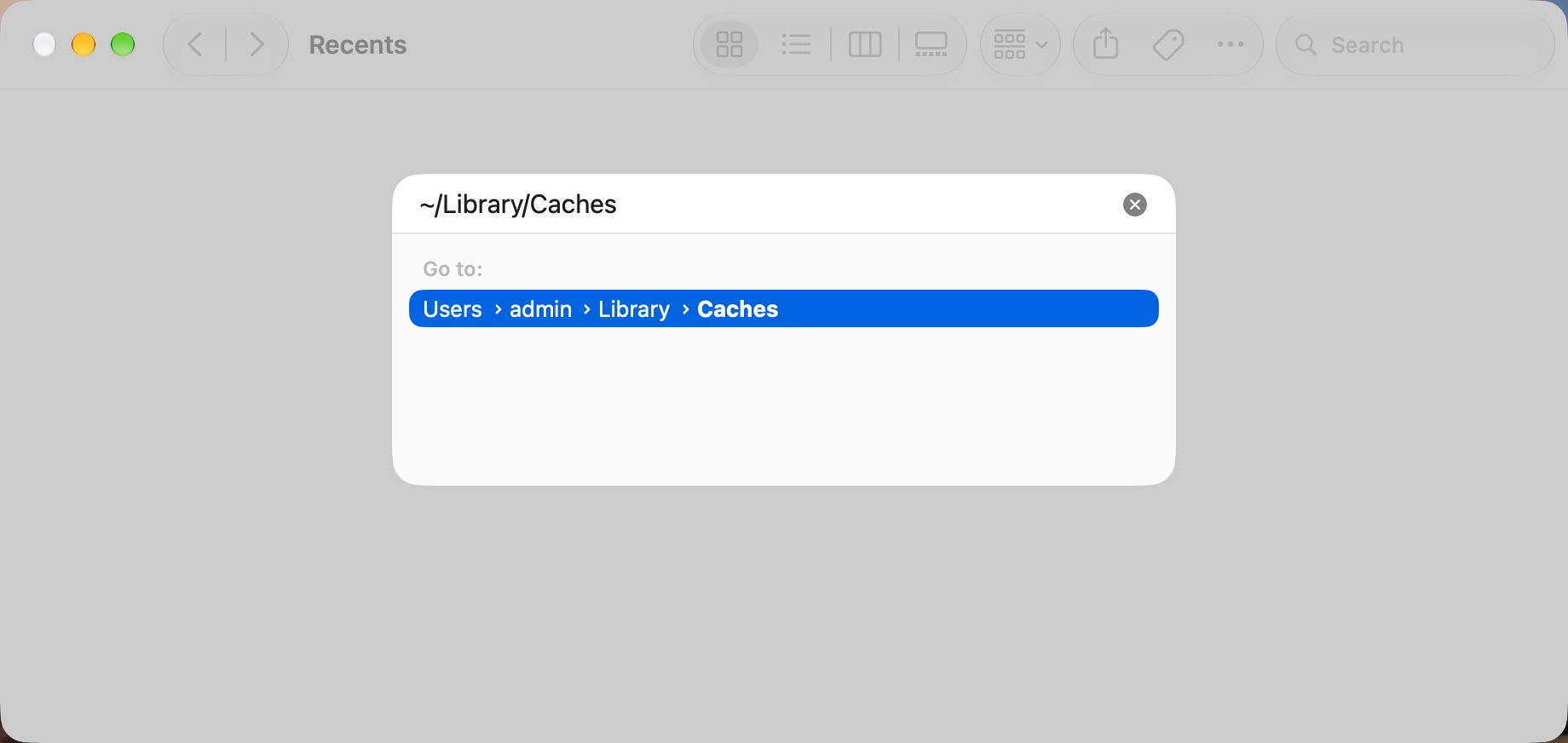
In Finder, choose Go, Go to Folder (Shift-Command-G), type ~/Library/Caches and look at the size of each folder with File, Get Info.
Where it runs out
Each source sits in a different place, some need Terminal, and nothing tells you which files are safe to remove.
With MacCleanX
Coming
Run a Cleanup scan in MacCleanX; it shows how much system junk it found (files your system and apps make and no longer need), and you review it before anything is cleaned.
Choose what to remove; it goes to the Trash first and can be put back.
MacCleanX is coming.
MacCleanX is not available to download yet. Leave your email and we will write when it is.